
Blueprints
Deploy pre-built automations with one click. From email campaigns to AI-powered workflows — pick a Blueprint and start automating in minutes.
 Grow
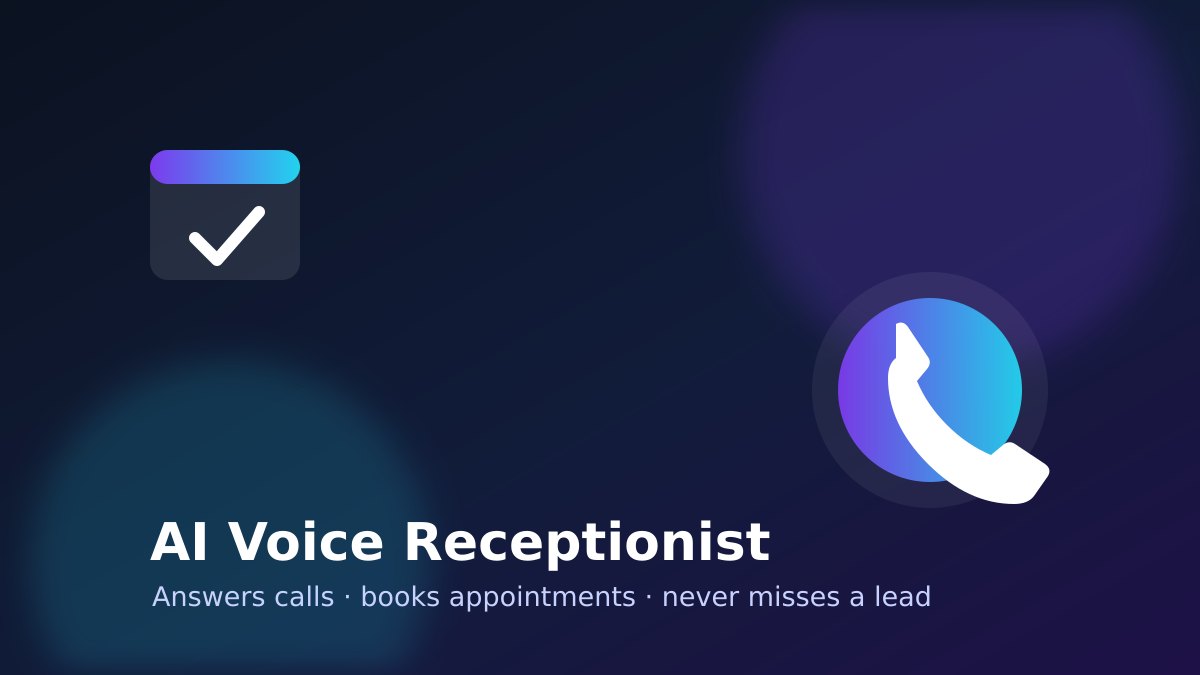
GrowAI Voice Receptionist (Phone + Bookings)
Answers your phone line, understands the caller, checks your Google Calendar and books the appointment — then texts your team a summary. Transfers to a human when it cannot help.

Leads Manager · Email capture v2
Watches a mailbox folder, turns genuine enquiries into numbered leads in your pipeline, tells the right person on your team, and replies once to each new enquirer — to the person who filled in your website form, not the form. Can split one mailbox between country offices.
More details
**For:** any business that takes enquiries by email. **What it does:** watches the mailbox folder you pick. Before any AI runs, a deterministic check settles what it can know for certain: mail from your own domains, submissions from your website form, known marketing platforms, bulk markers and automated senders. Everything else is read against a rubric that asks one question first — is this person asking us to do work, or is someone selling to us, telling us something, or asking us for a job? Marketing mail, statutory notices and job applications are kept out of the pipeline and the reason is recorded. Each genuine enquiry becomes a lead with its own reference, the platform picks the line of business (an email alias on a line routes directly) and the person responsible, and tells them itself. The enquirer gets one reply with their reference (someone who used your website form gets it at the address they typed, not the form's; you can switch form replies off when your website already sends one); later mail about the same open lead is added to it without another reply, so an out-of-office can never start a loop. When a colleague forwards you an enquiry, the lead is the original enquirer (not your colleague), and the reply tells your colleague it has been captured and who has it. Emails from LinkedIn, or forwarded from LinkedIn, are left alone: the LinkedIn capture blueprint handles those, so both can watch the same folder. **You set up:** the mailbox and folder (point it at a folder, not your whole inbox, when you start), the lead pipeline, your People, Lines of business and Working hours. **Optional:** addresses you always capture (a colleague mailbox that passes enquiries on), and a country split: install it once per office on the same mailbox, each taking its own countries' mail, with one catch-all for the rest.

Leads Manager · LinkedIn capture v2
Reads LinkedIn emails in a mailbox folder, sent by LinkedIn or forwarded by a colleague, turns enquiries into numbered leads and tells the right person on your team.
More details
**For:** any business that gets enquiries through LinkedIn. **What it does:** LinkedIn tells you about messages and enquiries by email. Point those notifications at a mailbox folder, or have colleagues forward them there, and this blueprint reads them: job alerts, likes and suggestions are ignored, and each real enquiry becomes a lead with its own reference. The platform picks the line of business and the person responsible, and tells them itself. An email sent by LinkedIn gets no reply, because LinkedIn's notifications come from a no-reply address. A LinkedIn email forwarded by a colleague gets one reply to that colleague, saying it has been captured and who has it. The source email is marked read and tagged 'LinkedIn' or 'LinkedIn (fwd)' in the mailbox. Every other email in the folder is left alone, so the email capture blueprint can watch the same folder. When the notification carries no email or phone for the person, the lead is flagged Needs Attention so nobody loses it. **You set up:** the mailbox and folder the LinkedIn emails arrive in, the address replies are sent from, the lead pipeline, your People, Lines of business and Working hours. To see the tags in colour, create the two categories once in Outlook.

Leads Manager · Phone menu
Answers your business number with a spoken menu, records every caller as a numbered lead in your pipeline, tells the right person on your team, and tells the caller when to expect a call back.
More details
**For:** any business that takes enquiries by phone, with a Twilio number. **What it does:** callers hear your greeting and a short menu. Each key points at a line of business; the platform records the caller as a lead the moment they choose (their number is captured automatically), can ask for their name, picks the person responsible from your People, Leave and Working hours settings, and tells them itself. After hours the caller hears when you will call back. A caller who says nothing still becomes a lead. **You set up:** a Twilio number (connect Twilio under Credentials, then point the number's voice webhook at this automation), the lead pipeline, your People, Lines of business, Working hours and the Phone menu wording. Saving the settings takes effect on the next call.

Leads Manager · Voice capture (Vapi)
Turns a phone call answered by your Vapi voice agent into a numbered lead in your pipeline and tells the right person on your team. The webhook rejects any call that doesn't present your Vapi secret.
More details
**For:** any business that answers its phone with a Vapi voice agent. **What it does:** your Vapi assistant collects the caller's name, number and what they want during the call, then posts a `save_lead` tool call to this automation's webhook. The webhook checks your Vapi secret first and does nothing for a call that doesn't present it. A genuine call becomes a lead with its own reference; the platform picks the line of business from what the caller asked for, chooses the person responsible from your People, Leave and Working hours settings, and tells them itself. The caller's number is captured even if the assistant didn't ask for it. **You set up:** a Vapi assistant with a `save_lead` tool whose Server URL is this automation's webhook and a custom header `x-webhook-secret` set to the secret you enter here; the lead pipeline; your People, Lines of business and Working hours. Nothing is hard-coded, and settings take effect on the next call without reactivating.

Leads Manager · WA conversational v2 (Excel)
A WhatsApp assistant that holds a real conversation, remembers each customer across WhatsApp, Telegram and calls, records the lead in your pipeline and can book, call back or look things up. Chat copies go to your Excel workbook.

Leads Manager · Web form capture
Turns every website or hosted-form enquiry into a numbered lead in your pipeline, picks the line of business and the right owner from your settings, and chases it until it's answered — no developer and no channel account needed.
More details
**For:** any business that wants to capture enquiries from its website with no developer work and no channel account to connect. **What it does:** every enquiry from your hosted form (or a form on your own site that posts to it) becomes a lead with its own reference (L-1001, L-1002…). The platform picks the line of business from what the customer asked for, chooses who is responsible from your People, Leave and Working-hours settings, tells that person itself, and chases the lead until it's actioned. Nothing is hard-coded — your People, Lines of business, Working hours and response times all take effect on the next enquiry without reactivating. **You set up:** your lead pipeline, People, Lines of business, Working hours and response times. The hosted form needs nothing connected — share its link or embed it on your site and enquiries land straight in your pipeline. **Good to know:** the form also carries the customer's “How did you hear about us?” answer and any campaign tags through to your Marketing-sources report.

Leads Manager · WhatsApp capture v2
Turns every WhatsApp enquiry into a numbered lead in your pipeline, tells the right person on your team, and replies to the customer with their reference and when to expect an answer.
More details
**For:** any business that takes enquiries on WhatsApp. **What it does:** each message that reaches your WhatsApp number becomes a lead with its own reference (L-1001, L-1002…). The platform picks the line of business from what the customer asked for, chooses who is responsible from your People, Leave and Working hours settings, and tells that person itself. The customer gets a reply straight away with their reference and when to expect an answer, in working time. A second message from the same number while the lead is open is added to that lead, not recorded twice. **You set up:** your WhatsApp number, the lead pipeline, your People, Lines of business and Working hours. Nothing is hard-coded, and settings take effect on the next message without reactivating. **New in v2:** a new customer is asked once, with a one-tap list, how they heard about you (optional; never asked again).

Leads Manager · WhatsApp probing capture
A WhatsApp assistant that greets, asks for whatever is missing (who they are, their email, what they need) and only records the lead once it has enough - then the platform routes it to the right line, tells the owner and follows up. The chat so far is remembered in a Google Sheet tab; the lead itself lands in your pipeline.

TikTok Auto-Publisher
Drop videos into a folder and let AI write on-brand captions, approve with one Telegram tap, and auto-publish to TikTok on your schedule.
 Grow
GrowWhatsApp Lead Responder (Grow v1.1)
500 leads/month + 5 listings + Email approval + Calendar booking + voice past-conversation extraction + warm-lead 3-touch drip. Designed for active solo agents. v1.1: multi-listing context, edit-in-place, warm-lead drip, calendar booking, passive quality-rating guard.
 Pro
ProYouTube Content Publisher V4
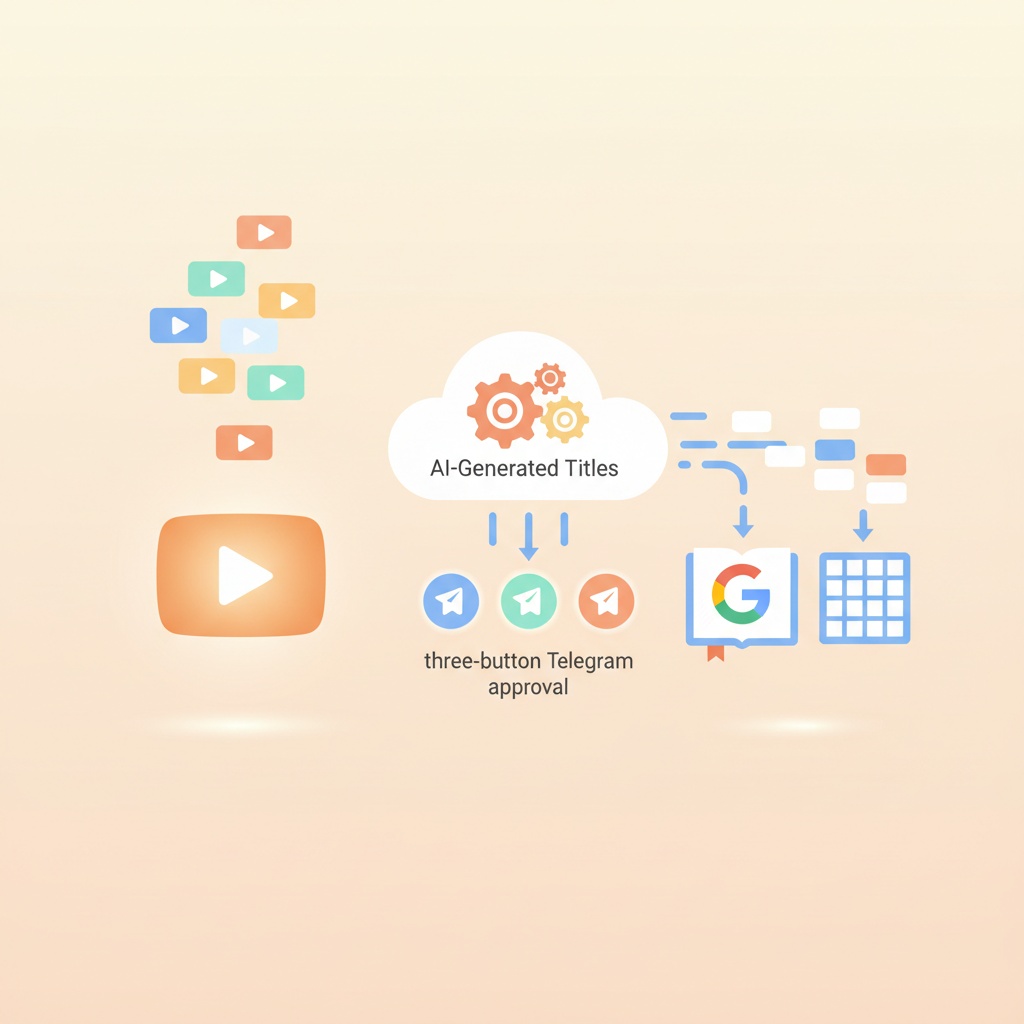
Publish queued videos to YouTube with AI-generated titles, three-button Telegram approval, and automatic Google Workspace sync - content log to Sheets, etc v3: Uses Google's file picker for sheet selection (drive.file scope + Picker SDK). No spreadsheets scope required.
Ready to automate your business?
Sign up for free and access the full Blueprint Library, including configuration, credential management, and execution history.
Start for Free